
What is Online Proctoring?
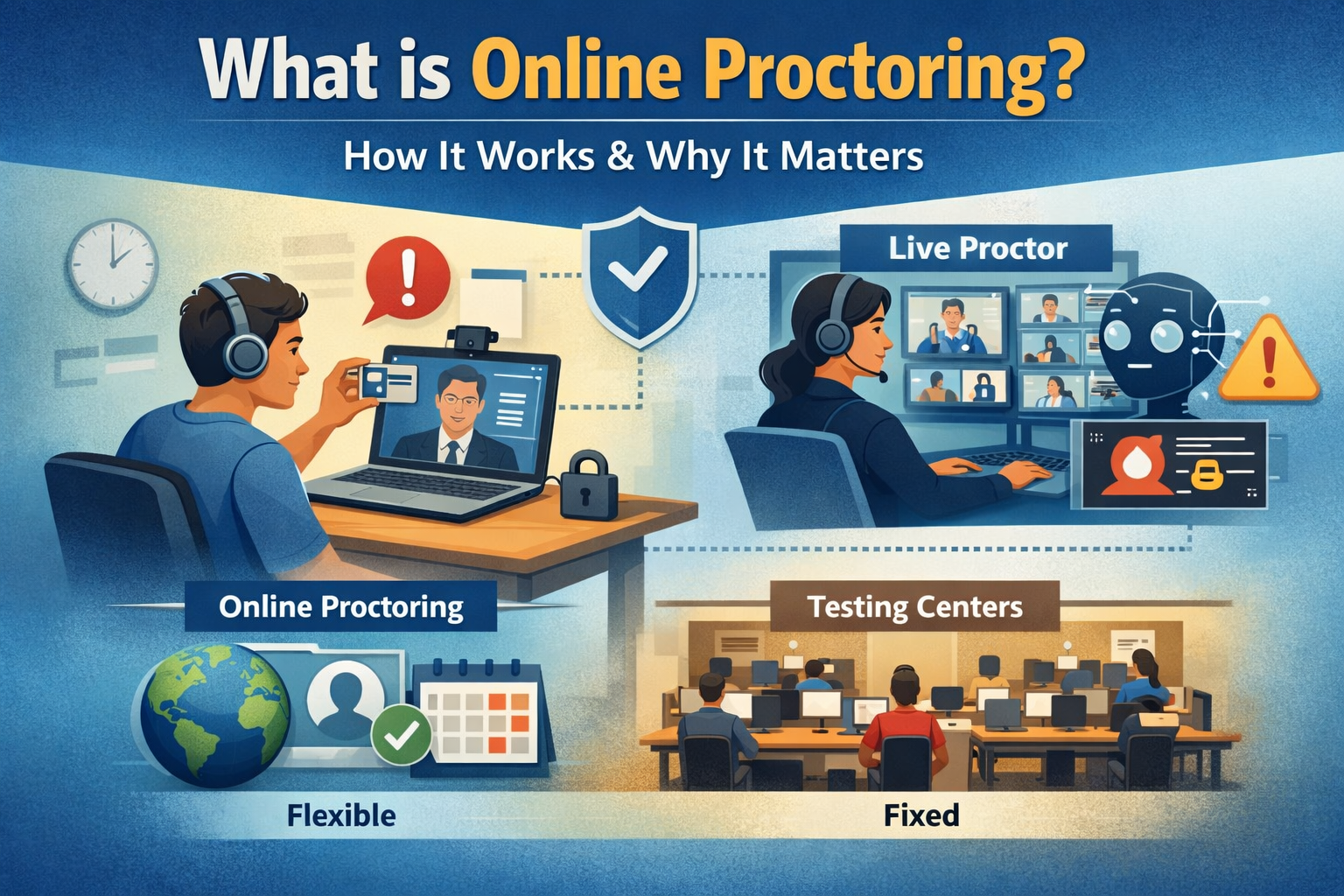
Online proctoring is the use of technology to monitor exam candidates remotely during a test session — verifying their identity before the exam begins, monitoring their environment and behavior throughout, and producing a documented record of the session for review. For professional certification programs, online proctoring is what makes it possible to deliver high-stakes exams to distributed candidates without a physical test center. But understanding what it is and understanding what it demands operationally are two different things.
Most content on this topic is written for universities or first-time buyers. This guide is written for certification program managers who already know what proctoring is and need to understand what running it well actually requires.
Online proctoring doesn’t replace exam integrity — it relocates the risk. In a test center, risk concentrates in a controlled physical environment. In a remote proctored exam, risk distributes across every candidate’s individual device, workspace, and behavior simultaneously. The programs that manage that well are the ones that understand what they’re actually taking on.
How Online Proctoring Works for Certification Programs
The basic mechanics of a proctored exam online are consistent across delivery models. What varies is who does the monitoring, when it happens, and what gets recorded.
A typical remote proctoring session for a certification exam runs through five stages:
Learn how Gauge handles online proctoring for certification programs
Types of Online Proctoring: What the Labels Actually Mean
The terminology in this space is inconsistent and often misleading. Two vendors can describe their product using the same label and deliver completely different capabilities. Here’s what the main models actually look like in practice.
| Model | How It Works | What to Know for Certification Programs |
|---|---|---|
| Automated / AI proctoring | Software monitors the session and flags behavior in real time. No human proctor is watching live. | Scalable and cost-effective. Flag review happens after the session. Requires a defined review and adjudication process on your end. |
| Live / human proctoring | A human proctor monitors the candidate via webcam in real time throughout the session. | Higher cost per session. Stronger candidate experience for high-stakes exams. Requires proctor availability to match your scheduling windows. |
| Hybrid proctoring | AI monitors continuously and alerts a live proctor when behavior warrants intervention. | Often the most appropriate model for professional certification. Balances cost with meaningful human oversight for flagged events. |
| Record and review | The session is recorded in full. A reviewer watches flagged segments after the exam is complete. | Useful when synchronous proctoring isn’t feasible. Review lag time means integrity decisions come after results are already visible to candidates — worth thinking through. |
| BYOP (bring your own proctor) | Your organization supplies the proctor, who uses the platform to monitor the session. | Common in distributed credentialing programs with employer-based exam sites. Requires proctor training and a documented agreement — the same accountability considerations covered in exam administration best practices. |
The model you choose matters less than how you configure it and what it produces. A live proctoring solution that doesn’t generate a clean, exportable session record isn’t more defensible than an automated solution that does.
What Online Proctoring Actually Demands from a Certification Program
This is the section nobody else writes. Every article explains what online proctoring does. Almost none of them explain what it requires from the organization running it. For certification programs, those requirements are significant.
Candidate Technical Support Is Now Your Responsibility
In a physical test center, technical problems are handled by on-site staff. In a remote proctored exam, a candidate whose webcam won’t initialize, whose internet drops mid-session, or whose system fails the pre-exam check is calling your support line. Or they’re abandoning the session and writing an angry post about their experience.
How you respond in the first 15 minutes of a technical failure determines whether a candidate has a professional experience or a story they tell every colleague in their field. That means having defined support protocols before your first remote session goes live — not figuring them out when someone calls.
This is especially acute for professional certification programs whose candidates are working professionals, not students. They booked time off work for this exam. They may be in a hotel room. They have no institutional IT support available. Your program is the only resource they have.
AI Cheating Has Changed the Threat Model
The exam integrity conversation in most published content is still focused on 2019 problems: unauthorized notes, impersonation, screen sharing. These remain real concerns. But for certification programs in 2026, the dominant emerging threat is AI-assisted cheating during the exam itself.
Browser lockdown software prevents access to websites on the exam device. It does not prevent a candidate from using a second device, an AI-enabled phone, smart glasses, or an earpiece connected to a language model running answers in real time. These are not theoretical scenarios. They’re happening in professional certification programs right now.
The programs that are ahead of this problem are not simply adding more cameras. They’re rethinking item design — moving toward questions that require synthesis, application, and judgment rather than recall, because those question types are harder to answer well with AI assistance. Proctoring is one layer of your security model. Item design is another. Both matter.
Institute for Credentialing Excellence — NCCA Accreditation Standards
Your Session Documentation Has to Hold Up
When a candidate disputes a result, when an accreditation body asks you to demonstrate your security standard, or when a legal challenge arises, your proctoring records become evidence. The session log, the identity verification record, the flagged incident report, and the adjudication decision — all of it needs to be stored, retrievable, and producible on short notice.
Programs that choose proctoring solutions based on price or ease of use without asking what the audit documentation looks like are making a risk decision without realizing it. Before selecting any remote proctoring system, confirm that you can export individual session records, that those records include identity verification outcomes and flagged event timestamps, and that the data is stored in a format your accreditation body would recognize as sufficient.
See how Gauge manages the full certification lifecycle
How Professional Certification Proctoring Differs from Higher Education
Most online proctoring content is written for universities. The operational context is different enough that it’s worth being explicit about what changes when you’re running a professional certification program.
In higher education, a failed exam means a student retakes a course. In professional certification, a security incident means leaked items, invalidated scores, a damaged item bank, and a credential that practitioners and employers may start to question. The stakes are categorically different, and your proctoring infrastructure needs to reflect that.
Three specific differences matter most for how you approach remote proctoring:
Your Candidates Are External and Distributed
A university runs exams for enrolled students who interact with the LMS regularly. Your certification candidates are working professionals who may take one exam every three years, have no familiarity with your platform, and are sitting at home or in a hotel room with no institutional support. Your pre-exam candidate communication, your system check process, and your technical support availability all need to account for that reality.
Accreditation Standards Apply to Your Exam Delivery
NCCA-accredited programs have specific requirements around exam security, identity verification, and documentation. What satisfies a university’s academic integrity policy does not automatically satisfy an accreditation body’s exam security standard. If your program is accredited or pursuing accreditation, your proctoring model needs to be evaluated against those standards explicitly — not assumed to comply because it’s a recognized product.
NCCA Standards for the Accreditation of Certification Programs
Your Exam Content Has Lasting Value
In professional certification, a leaked exam item isn’t just an academic integrity problem. It’s a validity problem. When enough candidates have access to real exam content, pass rates shift artificially, cut scores become meaningless, and the credential loses its ability to signal genuine competency. Rebuilding an item bank is expensive, time-consuming, and disruptive to your exam cycle. Proctoring is one of the primary defenses against that scenario — which is why the documentation and audit trail matter as much as the monitoring itself.
Online Proctoring for Certification Programs — Frequently Asked Questions
What is the difference between live proctoring and automated proctoring for certification exams?
Live proctoring uses a human proctor who watches the candidate’s session in real time via webcam. Automated proctoring uses AI software to monitor the session and flag behavior for post-session review, without a human watching live. For professional certification programs, hybrid models — where AI monitors continuously and a live proctor responds to flags — often provide the best balance of security and cost. The more important question isn’t which model you use; it’s what documentation the system produces and whether that documentation meets your accreditation standard.
How does online proctoring verify candidate identity?
Most systems require candidates to present a government-issued photo ID matched against a live webcam image before the session begins. Some add a biometric layer — facial recognition, or a knowledge-based authentication sequence using publicly verifiable personal information. For certification programs with accreditation obligations, your identity verification method should be documented in your exam administration policies and reviewed against your accreditation body’s requirements. “We use proctoring software” is not a sufficient answer if a reviewer asks how you verify candidate identity.
What happens if a candidate has a technical failure during an online proctored exam?
Your response protocol needs to be defined before it happens, not developed in the moment. At minimum, you need a defined support contact, a response window, a clear policy on whether and how the session can be resumed, and a documented record of what occurred and what action was taken. Candidates who experience a technical failure and receive a professional, timely response have a very different experience than candidates who wait while your staff figures out what to do. Define your incident response before your first remote session.
Can online proctoring prevent AI-assisted cheating?
Current proctoring technology can block access to websites and flag unusual on-screen activity. It cannot prevent a candidate from using a second device, a phone, or an AI-enabled tool that doesn’t appear on the monitored screen. For certification programs, the most durable defense against AI-assisted cheating is item design — questions that require application, synthesis, and judgment are significantly harder to answer well with AI assistance than questions that test factual recall. Proctoring and item design work together as a security strategy, not as substitutes for each other.
What records does an online proctoring system need to produce for accreditation purposes?
At minimum: identity verification outcome and method, session start and end timestamps, a log of flagged events with timestamps and descriptions, any proctor interventions and their outcomes, and the final session status. These records should be exportable at the individual session level — not just available as aggregate dashboards — and stored in a format you can produce on short notice. Before selecting any proctoring solution, confirm that it can generate this documentation and that the format would satisfy your accreditation body’s requirements.
If you’re managing a professional certification program and evaluating online proctoring — whether you’re moving online for the first time, reassessing your current setup, or preparing for an accreditation review — Gauge was built for exactly this context. It’s designed for high-stakes credentialing programs where exam security, candidate experience, and audit documentation all matter. See how Gauge handles remote exam delivery
See It In Action
Ready to see how Gauge handles online proctoring for organizations like yours?
No commitment, no pressure. Just a clear look at whether Gauge is the right fit.